
The IDS package is total solution for wholesale, distribution and warehousing companies with modules and features to manage about every business need. It is a software package 18 years in the making, optimized for efficient workflow with easy data entry screens, on screen mission critical information, 100’s of reports, extensive permission settings, total Quickbooks integration, and fully customizable for each company’s needs. Unlike mass market software solutions, Delldata focuses on serving a select few companies FULLY and satisfying their needs TOTALLY. Below is partial list of modules and features available with the IDS package, and for an detailed demo please contact us.
Explore IDS Features
Customer Modules
- Extensive data entry for customer information
- Unlimited ship-to addresses
- Unlimited contacts per customer
- Customer categories
- Backorder settings by customer
- On screen balance/aging/statements
- Easy customer history lookup
- Special pricing per customer/per item
- Effective and end dates for special pricing
- YTD/Chart views per customer
- Audit log of changes
Vendor Modules
- Extensive data entry for vendors
- Unlimited contacts per vendor
- Vendor categories
- Easy vendor history lookup
- Vendor special cost with effective/end dates
- Built-in integration with Quickbooks vendors
- Freight table per vendor
Users and Salespeople Modules
- Control user access permissions
- Authorization by module and/or feature level
- Salespeople commission tables
- Built-in integration with Quickbooks salesrep list
- Custom shortcut keys per user
- Automatic backup reminders
System Settings
- YTD/Chart views per customer
- Aging by days or months
- Multiple salespeople per customer
- Custom price levels based on cost or MSRP discounts
- Credit limits, holds and warnings
- Save customer CC info on file
- Post dated check file
- Built-in integration with Quickbooks customer file

- Manage estimates and quotes
- Set expiration dates on quotes
- User/salesperson file
- Email, print or save PDF quotes
Quotations allows you to enter estimates for clients and save then by system generated Sequence Number, The quote contains expiration date, transferring the Quote to an actual Sales Order by clicking a button, With a single click you can also save the quoted pries into customer special pricing.
Features
- Extensive data entry for customer quotes
- Convert quote to order easily
- Save quote pricing as default customer prices
- Quote expiration dates
- Print/email/fax quotes
- One-click quote duplication
- Bulk adding items to quote by category
- Custom quote price makrups…
- Instant on-screen net profit estimator
- Notes per line item
Additional Features
- Print/email/fax quotes
- Print quote analysis with cost and estimated net profit
- Combine multiple quotes into master quote
- Attach scanned documents
- On-screen customer quote history
- Price type on order identified by Q…
- Edit items from entry form
- Search and filter options

- Enter sales order quickly or extensively
- Print orders, pick list, and BOL’s
- Convert to invoice with one click
- Save order prices as new price level
- Fast pick orders
Sales Orders allows you to enter estimates for clients and save then by system generated Sequence Number, The quote contains expiration date, transferring the Quote to an actual Sales Order by clicking a button, With a single click you can also save the quoted pries into customer special pricing (see Pricing/Commission for details
Features
- Discounts per line item
- Discounts per order
- Credit holds, credit limit warnings
- Auto create PO for order
- Extensive inventory lookup
- Lookup pricing history
- Create pick tickets by location
- Auto reorder suggestions
- Pick tickets, BOL, order confirmations
- Customizable freight charges by customer
Additional Features
- Color coded order status system
- Color coded low margin alert
- Process CC on orders screen
- Apply payments to orders
- Special pricing integration
- Unlimited notes per line item
- Extensive backorder control
- Quick or extensive order entry screens
- Attach scanned documents
- Message alerts

- Print BOL’s
- Print case and skid labels
- Easily create delivery routes
- Capture delivery signatures
- Print UPS labels
Shipping & Routing allows you to plan truck delivery routes to customers by driver. It has the option to scan the sequence of orders being delivered, by driver and date, and print route sheets for drivers for efficient deliveries.
Features
- Auto create route by scanning barcoded BOLs
- Driver and stop number displayed on order screen
- Print delivery route sheets by driver
- Print loading-summary report by driver
Additional Features
- Print Google map for route
- Some GPS integration possible
- Customizable route sheets

- Complete inventory control
- Sophisticated formulas to calculate pricing and cost
- Total support for bar-coding and scanning
- Control special pricing from inventory module
- Comprehensive analysis and reporting functionality
Inventory offers you full inventory control, pricing and costing, reports and analysis, control products from Purchasing to shipping, printing bar codes to catalogs, warehousing to importing, categorized & level controls.
Features
- 8 price levels
- Multiple unit of measures
- Master carton & individual UPCs
- Built-in minimum stock suggester
- Lead times calculator based on past purchase receipts
- Detailed stock levels (On Hand, On Sales Orders, On Purchase Orders, In Transit, and Available)
- Real time sales & purchase history for last 12 months
- Related & substitute items
- Price list & catalog printing
- Commission control per item
- CBM and duty charges
Additional Features
- Category & sub category grouping
- Built in integration with Quickbooks inventory
- Warehouse and bin location control with self-level barcoding
- Manual overrides for adjustments and physical inventory counts
- Detailed audit log for inventory changes
- Last cost, average cost, full cost
- Promo pricing for customers and by suppliers
- Automatic pricing engine by markup percent, dollars, MSRP, or any combination thereof
- Add-on costs for freight and other up-charges
- 24 custom fields per item
- Bulk/skid pricing option
- Attach on-screen product images for accuracy

- Complete invoicing solution with Quickbooks link
- Support for customer credits or debits
- Built in support for bad debt write offs or bad checks recording
- Manual or automatic invoicing options
- Invoice printing, emailing, saving as PDF
Invoicing allows you to enter invoices, debits, credits, write-off’s, returned checks for clients and save them by system-generated sequence number. Invoices provide for many dates, such as order, invoice, due, payment dates, etc. With the single click of a button, create an invoice from an sales order, apply quick payment, print/email/fax invoice, or send to Quickbooks.
Features
- Extensive data entry for purchase orders
- In house and drop ship PO’s
- PO analysis and review reports
- Extensive inventory integration
- Print, email or fax PO’s
- Track open, closed, received PO’s
- Inventory cost control from PO
- Extensive backordering features
- Convert PO to Quickbooks PO in one click
Additional Features
- Print Quick invoice reports
- View profits and markups on invoice
- Debit/Credit/Write off/Returned Check on screen reference
- Print/email batch invoices
- On screen invoice history for customer
- Extensive tax/freight features
- Edit items from entry form
- Extensive search and filter options

- Complete purchase order functionality
- Support for dropship PO’s
- Total cost capturing including up-charges, freight, handling, etc.
- Fully integrated with Quickbooks purchasing module
- Flexible inventory receiving features
Purchasing allows you to enter purchase orders for inventory and save then by system generated sequence number. Purchase orders contain ordered/requested/received dates, can be converted into Quickbooks PO in one click and can printed, faxed, or emailed.
Features
- Extensive data entry for customer invoices
- Easily create invoice from sales order
- Post commission per line item
- Quick pay button
- Print/email invoice
- Scan supporting documents per invoice
- Apply full or per line discounts
- Process CC from invoice
- Full Quickbooks integration
Additional Features
- Record up-charges, such as packing or dropship fees
- Record freight charges
- Up-charges and freight cost added to item cost
- View open sales per PO lines
- Attach scanned documents per invoice
- Multiple receiving per PO
- Update saved costs for product and similar products from PO screen
- Project lead times for purchase order items based on historic data
- Extensive search and filter options

- Record cash receipts
- Applies payments automatically
- Handles open credits, balances
- Built in credit card processing
- Full featured bank deposits functionality
Account Receivables allows you to enter cash receipts, checks, credit card, and credits, apply payments to multiple invoices easily, discount payments and open credits, process credit cards, draft check printing and much more.
Features
- Easy and quick cash receipt entry
- Record payment date and check date, if different
- Quick auto-apply payments
- Flexible control of overpayments
- View customer aging from payment form
Additional Features
- Apply discount per invoice
- Process CC with on click
- Print draft checks
- Save CC and banking info for customer
- Attach scanned documents
- Flag postdated checks to be deposited
- Cash receipt reports
- Complete bill of materials support
- Production worksheets
- Save Product formula
- Track by lot numbers
- Calculate and control production costs
Production allows you to enter estimates for clients and save then by system generated Sequence Number, The quote contains expiration date, transferring the Quote to an actual Sales Order by clicking a button, With a single click you can also save the quoted pries into customer special pricing (see Pricing/Commission for details
Features
- Full data entry for customer quotes
- Easy create order from quote
- Save quote to Special Pricing
- Quote expiration control
- Print/email quotes with ease
- Duplicate a quote with a click
- Enter items based on % above cost
- See estimate profits instantly
- Notes per line item
Additional Features
- Print/Email Customer Quotes
- Print Quote Analysis with cost
- Print list of multiple Quote
- Document Imaging feature
- Customer quote history on same form
- Price type on order identified by Q
- Edit items from entry form
- Search and filter options
- Food industry testing
- Complete sampling and testing support
- Lot control management
- Results recording and tracking
Lab Testing allows you to enter estimates for clients and save then by system generated Sequence Number, The quote contains expiration date, transferring the Quote to an actual Sales Order by clicking a button, With a single click you can also save the quoted pries into customer special pricing (see Pricing/Commission for details
Features
- Full data entry for customer quotes
- Easy create order from quote
- Save quote to Special Pricing
- Quote expiration control
- Print/email quotes with ease
- Duplicate a quote with a click
- Enter items based on % above cost
- See estimate profits instantly
- Notes per line item
Additional Features
- Print/Email Customer Quotes
- Print Quote Analysis with cost
- Print list of multiple Quote
- Document Imaging feature
- Customer quote history on same form
- Price type on order identified by Q
- Edit items from entry form
- Search and filter options
- Attach documents to records
- Attach directly from scanner
- Attach computer files as documents
- Support for any document type
- View, print, or email attached documents
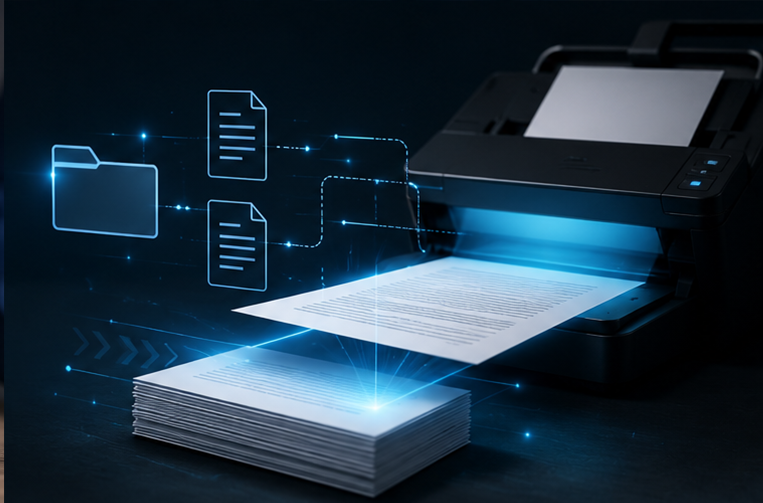
Document Imaging allows you to scan and attach documents and images to customer, item, sales order, invoice, and purchase order. Attaching documents will allow you to grab any file on your computer and attach it to a record.
Features
- Attach document directly from scanner
- Integrated with signature pads
- Preview document before saving
- Open any attached document with one click
- Add or delete attachments easily
- Support for bulk scanning/filing scanners
Additional Features
- Compatible with all Windows Twain scanner
- Compatible with Topaz signature pads
- 100’s of report
- Instant reports with one click
- Enhanced filtering options
- Filter any field by any value or range
- Print, preview, email or save as PDF
Reporting provides 100’s of reports with options to print or save as PDF, filter by any field, any range, any combination or expression.
Features
- Customer/Vendor reports
- Inventory reports
- Quote/Orders/Invoicing reports
- Receivable reports
- Purchasing reports
Additional Features
- Quick reports
- Extensive filtering options
- Print reports to PDF or text files
- Custom reports available by request
- Process CC from invoice screen
- Support for many gateways and banks
- Receive instant approval and declines
- Print CC receipts
- Save CC info to customer file
Credit Card Processing allows you to process Credit Cards easily, with support for many gateways and banks. Easily save credit card info and track approvals and declines.
Features
- Support Authorize.net and UsaEpay.net processing
- Save customer CC info
Additional Features
- Get approvals & declines instantly
- Print customer receipts
- Print CC transactions report
- Customer and vendor link to QB
- Inventory link to QB
- Export invoices to QB with one click
- Export PO’s to QB with one click
- GL chart-of-accounts QB link
Quick Books Link provides for full integration with Quickbooks Customers, Vendors, Inventory, Invoices, and Purchase Orders modules.
Features
- Send customer information to Quickbooks
- Send vendor information to Quickbooks
- Send inventory levels to Quickbooks
- Send invoices to Quickbooks
- Send purchase orders to Quickbooks
Additional Features
- Send single or multiple records at a time
- Track sent records
- Send chart of accounts info
- Add-on module for importing Quickbooks data available
- UPS shipping with a single click
- USPS shipping with a single click
- FedEx shipping with a single click
- Instant package tracking
- Shipping price comparison
Shipping Integration allows you ship orders via UPS, FEDEX, USPS. single orders or batch of orders.
Features
- Rate chart Integration
- Print UPS/FEDEX/Usps shipping labels
- Instant Tracking UPS/FEDEX/Usps shipments
- Multiple shipper account
Additional Features
- Address verification options
- Find cheapest shipping rate
- Ship multiple packages
- Control insurance & signature requirements
- 8 Price levels per item
- Special prices per customer/item
- Comprehensive formulas to price by cost/SRP/net
- Commissions per line item
- Commissions by markup and/or balance aging
Pricing & Commission comprehensive and flexible formulas are built in.
Features
- 8 Price levels per item
- Custom pricing per customer per item
- Pricing formulas based on cost/SRP/net
- Calculate profit and markups
- Control markup by percent or dollar amount
Additional Features
- Commission per line item
- Commission based on markups
- Commission based on receivables aging
- Detail commission flags
- Close books monthy
- Revert changes back to any closed month
- End of month discrepancy report
- Purge data up to as-of-date
- Daily instant backup options
Closing & Purging features are included to close the books monthly and to archive old data.
Features
- Close the books for any month to prevent after-the-fact editing
- Flexible options for admins to reopen books
- Print end of month discrepancies report
Additional Features
- Purge & delete data by end date
- Create daily backup
- Restore database backup

- Applications for remote devices
- Run your system from iPad or Android
- Windows Terminal Service compatible
- Hand held warehousing solutions
- Tablet applications for manufacturing
Mobile & Remote Access Support features support the use of the IDS system on mobile devices, access the system remotely, or use handheld devices connected through WiFi.
Features
- Handheld device module for physical inventory counting
- Handheld device module for order picking
- Mobile app for offsite order entry
- Mobile app for drivers and salespeople
Additional Features
- Support for Android devices
- Support for iPads
- Support for Windows mobile devices
- Import your Amazon and eBay orders
- Upload inventory to Amazon and eBay
- Upload tracking information to Amazon and eBay
- Support for Buy.com, uBid.com, and Overstock.com
- Custom website integration
Marketplace API Features supports integration with e-Commerce websites as well as marketplaces such as Amazon, eBay, Buy.com and more.
Features
- Download orders from Amazon
- Upload inventory to Amazon
- Upload shipping confirmation to Amazon
- Download orders from eBay
- Upload inventory to eBay
- Upload shipping confirmation to eBay
- Download orders from Buy.com
- Upload inventory to Buy.com
- Upload shipping confirmation to Buy.com
Additional Features
- Control which items are sold on each marketplace
- Set custom pricing per marketplace
- Process orders from marketplaces
- Support for uploading images to FTP servers
- Set aliases and kits for alternative listings on marketplaces

- Extensive user level control
- Access rights per user/module
- User/date/time entry audit logs
- Admin user privileged rights
- Salesperson roles
User Access Control allows admins to control access for office users and salespersons, and stores user activities in audit logs.
Features
- Support for office user roles
- Support for in-house and road salesperson roles
- Support for delivery driver roles
- Support for admins and super user roles
Additional Features
- Control module access per user
- Granular permission control for each user for each module
- Loges user activity with date/time stamps
- Setup automatic backup per user